
Search Results for "var"

Image 1
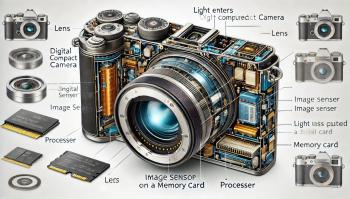
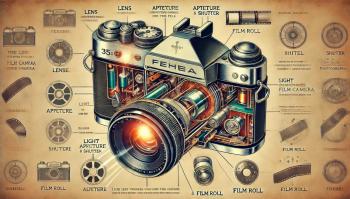
How Digital Compact Cameras Work
Digital compact cameras, also known as point-and-shoot cameras, are designed for convenience, simplicity, and high-quality photography in a small, portable form factor. Unlike traditional film cameras, they use electronic sensors to capture and store images digitally. Here's an in-depth look at how they work and the technology behind them.1. Key Components of a Digital Compact CameraA digital...
Image 2
How Film Cameras Work
Film cameras, iconic tools of photography, operate on simple yet elegant principles that have been refined over the years. Unlike digital cameras, which capture images using electronic sensors, film cameras rely on chemical reactions to record light onto physical film. Here’s a detailed look at how these fascinating devices work, along with a visual representation.1. The Basics of a Film...
Image 3
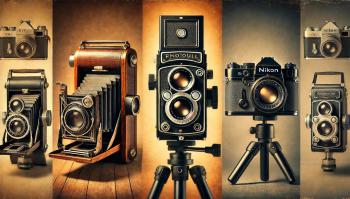
The History and Legacy of Film Cameras
Film cameras hold a special place in the history of photography. Before the digital revolution, they were the primary tools for capturing images, shaping the art and science of photography for more than a century. Even in today’s digital world, film cameras continue to attract enthusiasts for their tactile experience, unique aesthetics, and the timeless quality of analog images.The Origins of...
Image 4
Essential Apps to Boost Productivity and Simplify Daily Life
In today's digital era, apps have become indispensable tools that help us stay organized, connected, and productive. Whether you're managing work, enhancing your lifestyle, or learning something new, the right apps can make all the difference. Here is a curated list of some of the most useful apps available today:1. Task Management and Productivity AppsTodoist: A powerful task management app that...
Image 5
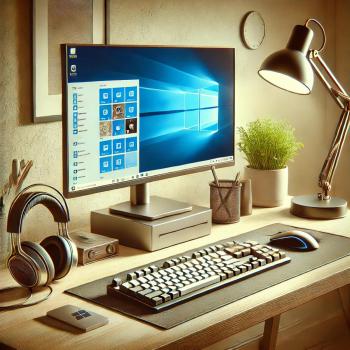
Windows PCs: An Overview of Their Features and Benefits
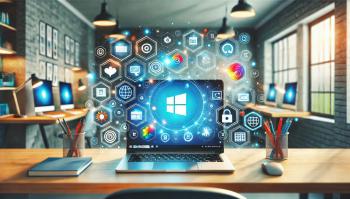
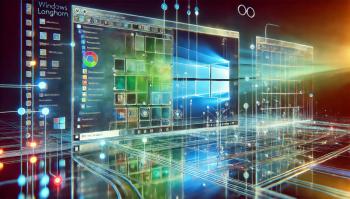
Windows PCs have long been a cornerstone of the computing world, offering a wide range of features and capabilities to suit diverse user needs. From personal use to professional applications, Windows PCs remain a popular choice for millions around the globe. This article explores the key aspects of Windows PCs, their advantages, and their significance in the modern digital landscape.1....
Image 6
The Best Windows Applications You Should Have
Windows is a versatile operating system with a vast library of applications designed to enhance productivity, creativity, and entertainment. Here is a list of some of the best Windows applications that cater to a variety of needs:Productivity ApplicationsMicrosoft Office Suite: A must-have for document editing, spreadsheet management, and creating presentations. Applications like Word, Excel, and...
Image 7
DSL Internet: Bridging the Gap to Modern Broadband
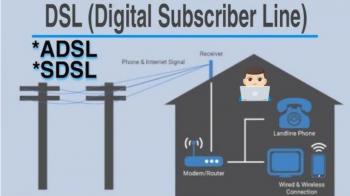
DSL (Digital Subscriber Line) was a groundbreaking technology that brought high-speed internet to millions of homes and businesses in the late 1990s and early 2000s. It marked a significant improvement over dial-up by offering faster speeds and always-on connectivity while utilizing existing telephone lines. DSL was a major stepping stone in the evolution of internet access, paving the way for...
Image 8
Norsk to Engelsk eller Farsi
PHP Integers 2, 256, -256, 10358, -179567 are all integers. An integer is a number without any decimal part. An integer data type is a non-decimal number between -2147483648 and 2147483647 in 32 bit systems, and between -9223372036854775808 and 9223372036854775807 in 64 bit systems. A value greater (or lower) than this, will be stored as float, because it exceeds the limit of an...
Image 9
How-To: Full Factory Reset of Samsung TV
Got yourself a misbehaving E or F series Samsung Smart TV? Has the normal Factory Reset not worked for you? Follow these instructions to complete a much more complete Factory Reset that normally only technicians would use.The instructions below will work on an E and F series Samsung Smart TV (I have not tested this on earlier models, but it could also work with those as well). You will...
Image 10
Ways to shutdown/restart your computer via Remote Desktop
I made me a little .bat file to solve the problem with restart/shutdown. To make a bat file to work with you go to START --> Run --> cmd and press Then you get a command window. Type EDIT and press . Then a blue window opens. Press ALT+F to make the menu appear, and choose "Save As..." You just save the file on your desktop (or another place of your choosing). After...

🚀 Welcome to our website! Stay updated with the latest news. 🎉
Farsi English Norsk RSS